
How to Search the Pine Bluff Court Docket
Start with the number printed on your ticket or notice. A city citation may qualify for the Pine Bluff nCourt payment search. That vendor is not the full case docket, though. For broader public case information, use Search ARCourts when the Pine Bluff department participates. It can show the court, case number, and participants. Filing date and status appear too, plus a list of events in order. Before opening a match, confirm one thing. It must belong to the right Pine Bluff department. It should not be a circuit division or another county.
- Read the issuing court and division on the Pine Bluff citation or notice.
- Use the exact citation number in the local nCourt interface when payment eligibility is the question.
- Use Search ARCourts for case events, selecting Jefferson County and the correct court when filters are available.
- Compare the charge, event date, status, and court shown with the papers already received.
- Call the owning Pine Bluff division to confirm an appearance or request the official court record.
No result does not mean the case is gone. If a Pine Bluff court docket search comes up empty, try the full case number with its punctuation, then a participant search. The clerk can check recent files, older material, or restricted records and explain how to request a copy.
Pine Bluff Court Records on East Third
Pine Bluff District Court sits at 223 East Third Avenue, Pine Bluff, Arkansas 71601. City Hall, at 200 East Eighth Avenue, is a different building. It is not the district court counter. That distinction matters when you need a Pine Bluff court record, a confirmed date, or instructions for a mailed request. The court publishes 870-850-7584 and fax 870-850-2440 for the city-listed office. Jefferson County separately publishes Division 1 at 870-541-4646. The official Pine Bluff District Court page shows the court location. It also shows the local access route.
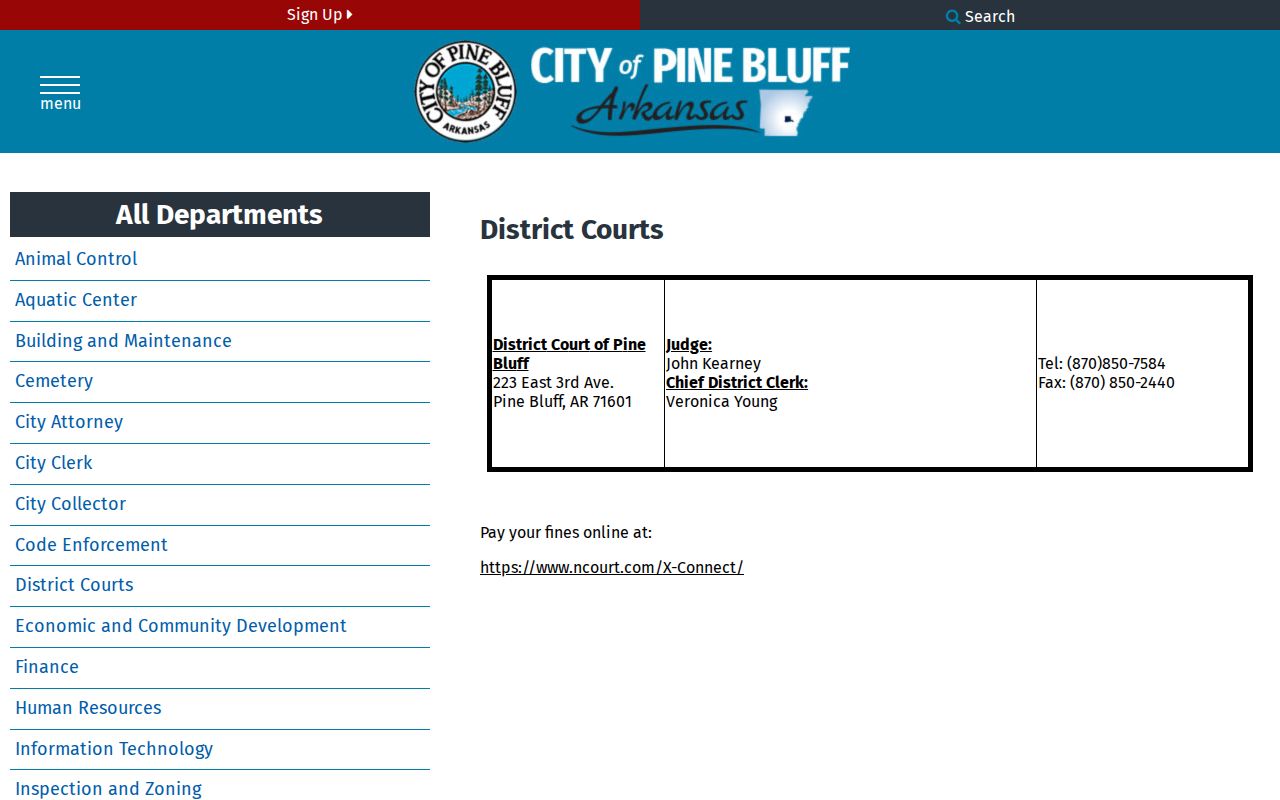
Take Pine Bluff court docket questions straight to the district court office rather than City Hall. Bring or state the citation number, division, and setting date. That lets staff locate the right Pine Bluff case without relying on a name alone.
The Pine Bluff Municipal Court
The Pine Bluff District Court fills the municipal-court role behind this city docket. Arkansas district courts hear traffic, ordinance, misdemeanor, preliminary felony, and small-claims matters. Other limited-jurisdiction matters come by law as well. A Pine Bluff citation normally begins at that district level. A felony prosecution or a larger civil matter does not become a Pine Bluff municipal docket just because the event happened inside city limits. Those cases begin in Jefferson County Circuit Court. One local complication stands out. County sources identify two Pine Bluff/Jefferson district divisions at the same East Third Avenue location. The state directory reflects the wider District 29 department structure. A mailed ticket payment or request must name Division 1 or Division 2. Without the division, the shared address alone cannot ensure Pine Bluff court staff route the item to the right file. The City of Pine Bluff government site provides the civic source. It anchors the local court connection.
Local context helps, but it settles nothing on its own. For a setting, event, balance, or official record, the Pine Bluff court and its clerk remain the source.
Pine Bluff Docket Mail Needs a Division
Writing "Pine Bluff District Court" on an envelope may still be too broad. The sheriff's published traffic instructions route mail to Jefferson County/Pine Bluff District Court, Division 1 or 2. The address is 223 East Third Avenue. Each Pine Bluff court docket belongs to the division that received the citation. That division entered its case events. The safest source for that label is the citation itself. The published division phone line comes next. Use 870-541-4646 for Division 1 or 870-850-7584 for Division 2 when those divisions appear on the Pine Bluff case material. Ask whether a mailed copy request needs a return envelope, prepayment, or another detail. No single Pine Bluff copy fee or remote-coverage date is published, so do not guess. Older Pine Bluff docket material may require an on-site index, archive, or staff retrieval. Note: A shared street address does not merge the Pine Bluff division dockets. It does not remove the need to name the file-owning court.
Pine Bluff Court Dates and Settings
Check any Pine Bluff court date carefully. Compare it to the newest case event and the written citation or notice. Search ARCourts may show a future setting. Yet it is an informational system, not the official record. A reset can leave an older date sitting in the Pine Bluff event list. Find the newest entry, note the division and case number, and call the court. Paying does not by itself cancel an appearance, especially when the charge is court-mandatory.
| Date | The future or past Pine Bluff setting date entered in the event history. |
|---|---|
| Time | The stated appearance time, which the division should confirm before court. |
| Courtroom | The Pine Bluff location or room; it may be absent from the public result. |
| Judge | The judicial officer or division associated with the setting when public. |
| Setting Type | Arraignment, plea, pretrial, docket call, trial, sentencing, or review. |
"Docket call" often just reports readiness or status. It is not always the trial. "Continued" or "reset" means the former Pine Bluff setting moved, so the newest court entry and clerk confirmation control the practical next step.
Pine Bluff Citation Docket in nCourt
Pine Bluff sends citation lookups to an nCourt payment interface. The required search field is Citation Number. A match walks you through terms, payment, and a receipt screen. That answers one narrow question: whether an eligible local citation can be paid online. It is not a full Pine Bluff court docket. It will not show every filed document. It will not waive a court appearance or certify how the case turned out. The city's own court material links to the nCourt X-Connect service. That is the vendor platform behind the channel. Its page shows the jurisdiction's search setup.
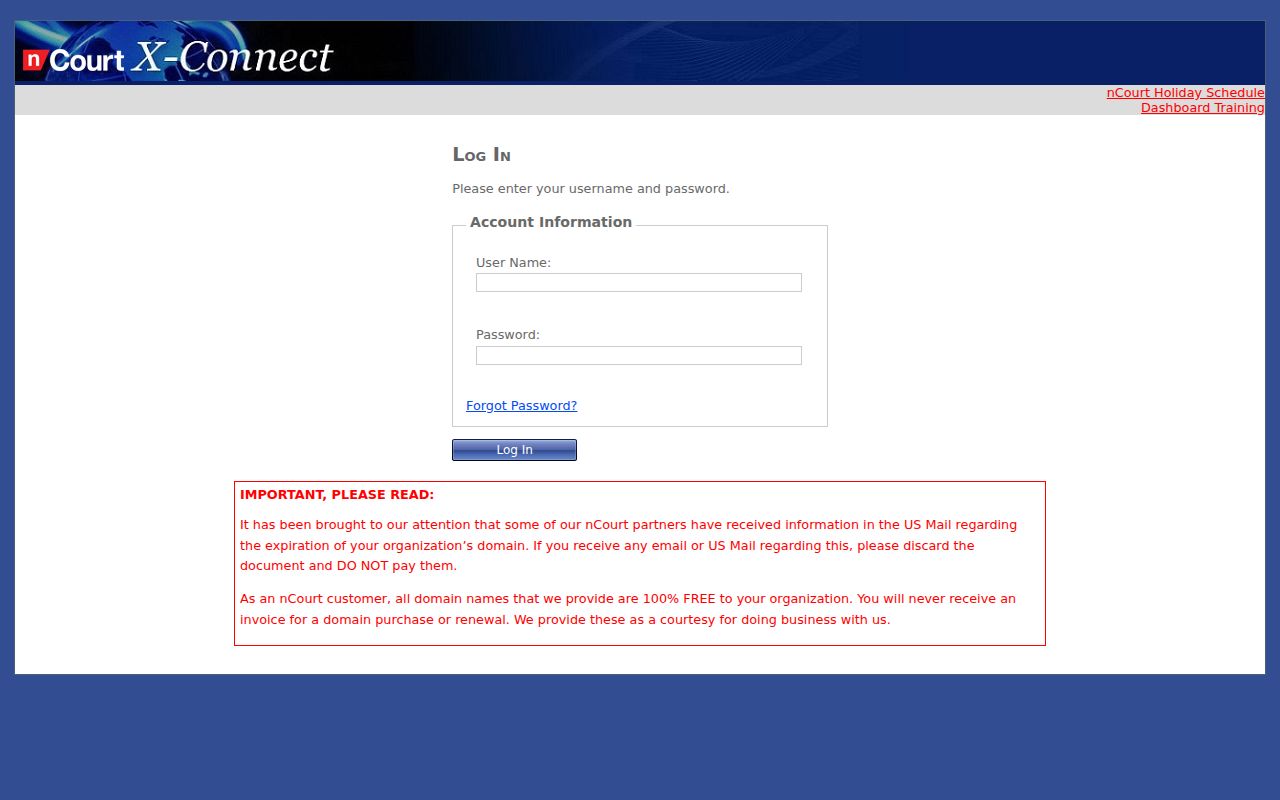
The platform marks the payment channel only. It is not a complete Pine Bluff record search, so for court dates and case events turn to Search ARCourts and the division clerk.
| Channel | Best use | Limit |
|---|---|---|
| Pine Bluff nCourt | Eligible citation-number payment lookup | Not the full case docket |
| Search ARCourts | Public Pine Bluff case information and events | Not an official certified record |
| Division clerk | Dates, missing cases, copies, and court instructions | Use the correct division |
Pine Bluff Traffic Tickets
Pine Bluff Police Department guidance keeps the online route narrow. Only eligible traffic and non-Class-A misdemeanor tickets qualify. That holds only when the charge is not court-mandatory. Time-pay accounts are out. Your statewide uniform citation prints the appearance date, time, and court information. Read those fields before opening the Pine Bluff payment portal. Payment carries real weight. It counts as an appearance, a guilty plea, and a waiver with the force of a judgment. You cannot pay to hold the Pine Bluff case open. That rule applies while you decide whether to contest it. The direct Pine Bluff citation payment page shows the jurisdiction-specific search.
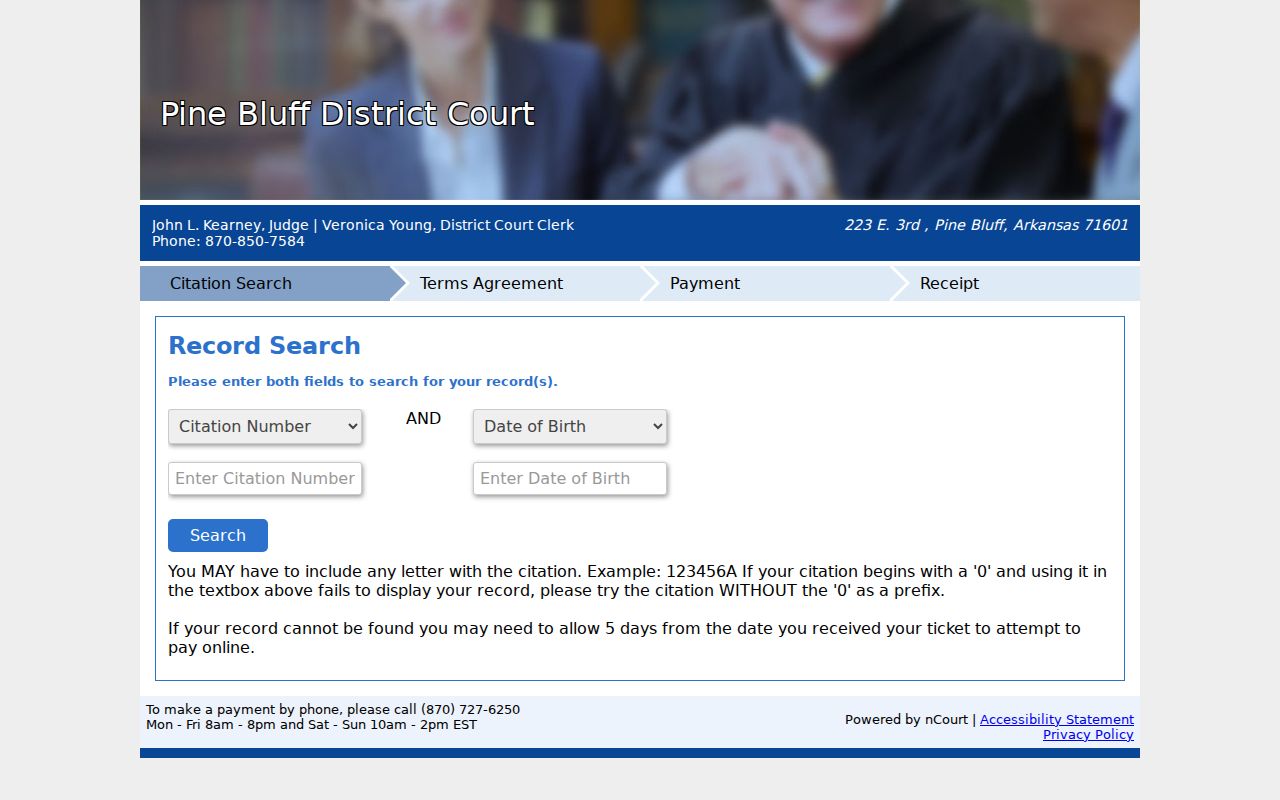
The source shows the Citation Number entry point. A court-mandatory Pine Bluff charge, a missing citation, or a wish to contest belongs with the court, not the vendor. For county-wide distinctions and fine-source context, see Jefferson County traffic court records.
Missing Pine Bluff Citation Records
An empty vendor result is rarely final. The Pine Bluff citation may be too new. Or the number was entered differently. The charge may be ineligible for online payment, or the wrong jurisdiction was selected. None of that means no Pine Bluff court case exists. Read the court and division printed on the ticket. Keep every letter and leading zero intact. Then call the division. Staff can say whether the Pine Bluff ticket has reached the clerk's system. They can also confirm whether an appearance remains set.
Search ARCourts is the next case-information check. Select Jefferson County and the exact district court where the interface permits it. Search by full case number first. If that fails, use participant fields and check each result's court. Skip eFlex for this task. eFlex is the attorney filing system. Search ARCourts is the public case-information system. A certified Pine Bluff disposition or a missing document image comes from the clerk on request.
Note: Keep the Pine Bluff citation close when calling. The division, number, issue date, and charge help staff find the right docket.
Where Pine Bluff Cases End Up
Pine Bluff District Court handles local traffic, ordinance, and other limited matters first. Felony prosecutions and higher-jurisdiction civil cases skip that local docket entirely. They begin in Jefferson County Circuit Court. A district criminal or traffic appeal follows Arkansas Rule of Criminal Procedure 36. The official summary lays out the path: a 30-day filing window, a certified district record, and an authorized $5 certification fee. Trial de novo then follows in Circuit Court. Confirm current instructions with the court itself.
Docket flow: Pine Bluff Municipal Court › Jefferson County Courts › Circuit Court
That flow can spawn a new case number and a separate chronological record. So do not read a Pine Bluff district result as the circuit appeal docket. A 35CR circuit number points to a Jefferson County criminal case. It does not point to a city citation file. When the local search is the wrong level, the county portal overview explains the broader Jefferson County court docket route.
Pine Bluff Docket and County-Seat Context
Pine Bluff ranked first among incorporated places in Jefferson County in the official 2020 Census table. It counted 41,253 residents. It holds the county seat too. Size explains the sprawl. A Pine Bluff search can touch city, county, state, and even federal offices. Those records never merge into one docket. The Pine Bluff District Court record stays distinct from a Jefferson County Circuit Court case and from any federal filing.
Those numbers say nothing about how many Pine Bluff cases are open. They explain why the court name and division matter so much. A broad name search may return several Jefferson records, and the right match is the one whose court, case number, type, and event history agree with the Pine Bluff papers in hand.
Public Access to Pine Bluff Court Records
Arkansas Supreme Court Administrative Order No. 19 starts from public access to court records. Still, material excluded by federal law, state law, court rule, or court order stays protected. Social Security numbers, account numbers, juvenile material, and sealed criminal material do not become public just because a Pine Bluff docket event exists. And a visible event does not guarantee its filed image can be downloaded.
Key Rules:
Administrative Order No. 19 governs access to Arkansas court records and protected content.
Ark. Code Ann. § 16-90-1401 et seq. governs the criminal-record sealing process.
Ark. Code Ann. § 9-27-309 protects juvenile records.
If Pine Bluff information is absent online, ask the division clerk for an access decision instead of assuming it is sealed. Remote access may be narrower than counter access. A browser printout is informational only; the clerk supplies a certified Pine Bluff court record when an official copy is needed.
Read Pine Bluff Docket Events in Order
Think of a Pine Bluff docket as a timeline, not a story. The header comes first. After that, work through participants, then events, then settings and disposition, oldest entry to newest. Some labels need care. A "notice of hearing" entry means a notice was filed. You may not be able to view its image. A "reset" simply moves an earlier date to a new one. A "disposition" records the outcome. A "certified copy" is a clerk-attested record, which is not the same as a screen print.
- Docket call
- A Pine Bluff status or readiness setting, not an automatic trial date.
- Continuance
- An order or event moving a setting to a later date.
- Disposition
- The recorded outcome of a Pine Bluff case or charge.
- Restricted
- Content withheld from general access under law, rule, or court order.
Once you have the latest Pine Bluff event, set it beside the citation, notice, or order you already hold. Conflicting entries happen. A stale-looking setting is common too. The division that owns the case can confirm which court date still stands, and that quick call beats trusting one old event as the final word on your Pine Bluff court docket.